

Choosing the right charger for your laptop is essential to ensure your device runs smoothly and safely. With so many options available—different brands, connectors, and power ratings—it can be confusing to find a charger that perfectly matches your laptop’s requirements. Using an incompatible charger can lead to slow charging, device damage, or even safety hazards. In this article, we will guide you step-by-step on how to find the right charger for your laptop, covering key factors like voltage, connector type, safety standards, and brand recommendations.
How to Choose the Right Charger for Your Laptop
Finding the right charger for your laptop is more than just picking any power adapter that fits. To avoid damage or poor performance, you need to focus on a few key factors:
Check Your Laptop’s Original Charger Specs Look at the label on your current charger or your laptop’s user manual. Pay close attention to the output voltage (V) and current (A). The replacement charger must match these numbers exactly or be within the recommended range.
Identify the Connector Type
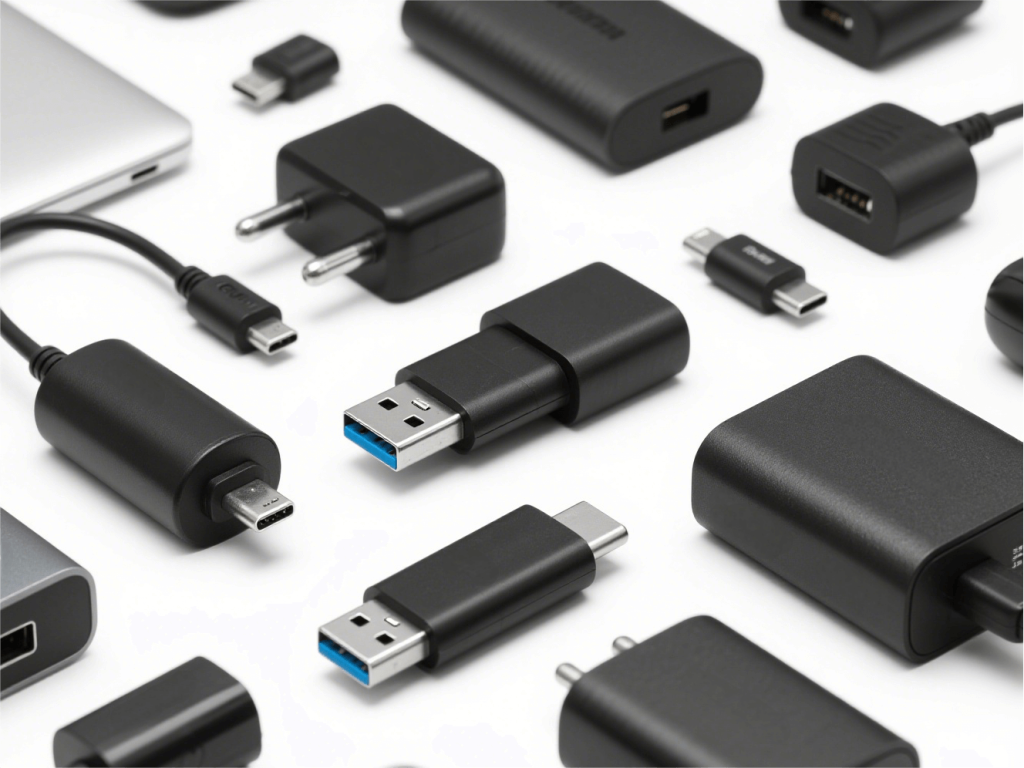
Different laptops use different plug shapes and sizes. Some use traditional barrel connectors, while newer models might use USB-C ports. Make sure the charger’s plug fits your laptop’s charging port perfectly.
Understand the Power Rating (Wattage)
Power (measured in watts, W) is calculated by multiplying voltage by current (W = V × A). Your charger’s wattage should be equal to or higher than your laptop’s original charger to ensure proper charging speed and safety.
Consider USB-C Chargers for Newer Laptops
Many modern laptops support USB-C charging, which offers fast charging and convenience. If your laptop supports it, a USB-C charger can be a great choice, especially for portability.
Avoid Cheap, Non-Branded Chargers
Low-quality chargers might look affordable but can risk your laptop’s health or even cause safety issues. Always choose chargers from reputable brands or authorized resellers.
By focusing on these points, you’ll be able to pick a charger that keeps your laptop running smoothly and safely.
Matching Voltage and Power
One of the most critical factors when choosing a laptop charger is ensuring the voltage and power output match your laptop’s requirements.
- Voltage (V): This must exactly match your laptop’s original charger voltage. Using a charger with a higher or lower voltage can damage your laptop or cause it not to charge properly.
- Current (A) and Wattage (W): The charger’s current rating should be equal to or greater than what your laptop requires. The wattage (W) is calculated by multiplying voltage by current (W = V × A). For example, if your laptop charger says 19V and 3.42A, the wattage is about 65W. Using a charger with a higher wattage is generally safe, as your laptop will only draw the power it needs.
- Why wattage matters: Using a charger with too low wattage can cause slow charging or fail to power your laptop under heavy use. Chargers with higher wattage can offer faster charging but make sure they are compatible.
- USB-C charging considerations: Many new laptops support USB-C Power Delivery (PD), which negotiates voltage and current automatically. USB-C chargers often offer multiple wattage options (e.g., 45W, 65W, 90W), so choose one that matches or exceeds your laptop’s requirement.
Always double-check your laptop’s power specs before buying a replacement charger. This ensures safety, reliability, and efficient charging.
Choosing the Right Connector Type
The charger’s connector is the physical plug that fits into your laptop’s charging port. Choosing the correct connector type is crucial because even if the charger has the right voltage and power, it won’t work if the plug doesn’t fit.
- Common connector types:
- Barrel connectors: Traditional round plugs that come in various sizes. Different laptop brands and models may use different barrel diameters, so be sure to get the exact size.
- USB-C connectors: Many modern laptops now use USB-C ports for charging, which is reversible and supports fast charging.
- Proprietary connectors: Some brands use unique connectors, like Apple’s MagSafe or Dell’s rectangular plugs. In these cases, you must find a charger designed specifically for your laptop model.
- How to identify your connector:
- Check your current charger or laptop manual for connector specs.
- Search online using your laptop’s exact model number along with “charger connector type.”
- If unsure, consult the manufacturer or authorized dealers.
- Avoid forcing a connector: Forcing an incompatible plug can damage your laptop’s charging port, causing costly repairs.
Selecting the right connector type ensures a secure connection and proper power delivery to your laptop.
Safety Certifications and Standards
When choosing a laptop charger, safety should be a top priority. Certified chargers meet specific safety and quality standards, helping protect your laptop and yourself from electrical hazards.
- Look for recognized certifications:
- UL (Underwriters Laboratories): A widely accepted safety certification in North America.
- CE (Conformité Européenne): Indicates compliance with European safety standards.
- FCC (Federal Communications Commission): Ensures electronic devices do not cause harmful interference.
- RoHS (Restriction of Hazardous Substances): Confirms that the product limits hazardous materials.
- Why certifications matter: Certified chargers undergo rigorous testing to prevent issues like overheating, short circuits, and electrical shocks. Using uncertified or fake chargers increases the risk of damage to your laptop or even fire hazards.
- Buy from reputable sellers: Always purchase chargers from official brand stores or trusted retailers. Avoid deals that seem “too good to be true,” especially on marketplaces where counterfeit products are common.
- Check for quality marks on packaging and the charger: Genuine chargers will display certification marks clearly, along with manufacturer information and safety warnings.
Prioritizing certified chargers ensures reliability, safety, and peace of mind.
Understanding Key Safety Standards
Understanding common safety standards can help you recognize trustworthy laptop chargers and avoid potential risks.
- UL (Underwriters Laboratories):
This certification means the charger has passed stringent electrical safety tests in North America. UL-certified chargers reduce risks like electrical shock and fire hazards.
- CE (Conformité Européenne):
Mandatory for products sold in the European Economic Area, CE marking indicates compliance with EU safety, health, and environmental protection requirements.
- FCC (Federal Communications Commission):
Focuses on limiting electromagnetic interference. Chargers with FCC certification ensure they won’t disrupt other electronic devices.
- RoHS (Restriction of Hazardous Substances):
Ensures chargers do not contain harmful substances like lead, mercury, or cadmium beyond allowed limits, promoting environmental safety.
When buying a charger, look for these marks either on the product, packaging, or user manual. These standards ensure the charger is manufactured with quality materials and tested for safe use.
Beware of Fake Chargers
Counterfeit or low-quality laptop chargers are common in the market and can pose serious risks to your device and personal safety. Here’s what you need to know:
Risks of fake chargers:
- Overheating that may damage your laptop or cause fires
- Inconsistent power delivery leading to battery or hardware damage
- Lack of proper safety features like surge protection
- Shorter lifespan and poor durability
How to spot fake chargers:
- Suspiciously low prices compared to official chargers
- Packaging with poor print quality or missing certification marks
- Chargers that are significantly lighter or heavier than originals
- Unusual logos or misspelled brand names
Tips to avoid counterfeit products:
- Buy from official brand stores or authorized resellers only
- Check online reviews and seller ratings before purchasing
- Verify the charger’s model number and specifications against your laptop’s requirements
- Avoid third-party chargers without clear certifications and warranty
Investing in a genuine charger protects your laptop and ensures safe, reliable charging.
Product Recommendations and Market Trends
The laptop charger market is evolving quickly, with new trends shaping what users expect from their power adapters.
- Trend toward High-Power Chargers: Many modern laptops require higher wattage chargers to support fast charging and more powerful hardware. Chargers delivering 65W, 90W, or even 130W are becoming common, especially with USB-C Power Delivery technology.
- Growing Demand for Portable Chargers: Portable and compact chargers are in high demand for users who travel or work remotely. USB-C chargers with multiple ports and lightweight designs offer convenient, space-saving solutions.
- Universal Chargers Gain Popularity: Universal chargers compatible with multiple laptop brands and models are attractive for users with multiple devices. These chargers often come with interchangeable tips and adjustable power settings.
- Brand Recommendations: Choosing chargers from well-known brands or trusted third-party manufacturers can balance cost and quality. For example:
- USB-C laptop chargers for newer laptops
- Brand-specific chargers like HP, Dell, Lenovo, Asus, and Apple remain popular for guaranteed compatibility.
Keeping an eye on these trends can help you select a charger that fits both your current needs and future devices.
Conclusion
Finding the right charger for your laptop doesn’t have to be complicated. By focusing on key factors like matching voltage and power, choosing the correct connector type, and prioritizing safety certifications, you can ensure your laptop charges efficiently and safely. Always buy from reputable brands or authorized sellers to avoid counterfeit products and potential damage.
As technology advances, options like USB-C chargers and portable power adapters offer greater convenience and flexibility. Whether you need a replacement charger or an upgrade, understanding these essentials will help you make an informed choice and keep your laptop powered up wherever you go.